For Lawyers
Learn Claude as a lawyer.
A structured course that teaches Claude fundamentals through tasks you already do: reviewing and flagging contract language, drafting client correspondence, summarizing case research, writing legal memoranda, and building templates you can reuse.
What is Claude?
Claude is an AI assistant made by Anthropic. Unlike a static clause library or a basic chatbot, it can hold an entire matter's context across a long conversation: the governing law, the client's risk tolerance, and the redline you rejected two messages ago. That matters for legal work, where language rarely gets finalized in a single pass. Claude Tutorial teaches you how to work this way through real legal tasks: reviewing contracts, drafting correspondence, summarizing research, writing memoranda, and building templates you can reuse.
What lawyers use Claude for
- 01
Reviewing and flagging contract language
Paste in a clause or full contract section and ask Claude to flag ambiguous, one-sided, or missing language. Provide your standard risk position and Claude applies it consistently.
“Here's the indemnification clause from a vendor's draft MSA. Flag anything that shifts liability onto us beyond what's typical for a vendor of this size, and suggest three replacement versions of the worst sentence, ranging from conservative to aggressive.”
- Catch one-sided or missing terms
- Apply your firm's risk position consistently
- Get replacement language, not just flags
- 02
Drafting client correspondence
Turn a rough set of talking points into a clear client letter or email. Refine tone and formality through conversation until it reads the way you'd actually send it.
“Draft a letter to a client explaining that opposing counsel requested a 30-day extension, we don't object, and it pushes the trial date to March. Keep it under 150 words and reassuring, not alarming.”
- Turn talking points into a full draft
- Match the exact tone a client needs
- Hit a firm length or formality limit
- 03
Summarizing case research
Turn deposition transcripts, discovery documents, or case notes into organized findings grouped by the issues that matter for the matter at hand.
“Here are excerpts from three witness depositions in the Hendricks matter. Summarize what each witness said about the timeline of events, and flag anywhere their accounts conflict.”
- Summarize scattered material fast
- Organize findings by the issues that matter
- Surface conflicts instead of hiding them
- 04
Drafting legal memoranda
Describe the question presented and the key facts, and let Claude structure a first-draft memorandum: issue, brief answer, facts, analysis, and conclusion, ready for you to refine.
“We need a memo on whether our client's non-compete is enforceable under Texas law given a 2-year term and no geographic limit. Structure it as issue, brief answer, analysis, and conclusion, and flag the weakest part of our position.”
- Start from a structured draft, not a blank page
- Cover every section a memo needs
- See the weak points before a partner does
- 05
Building reusable document templates
Once a document works well, ask Claude to turn it into a reusable template with placeholders for the details that change, so the next similar matter starts from a proven structure.
“This NDA held up well in review. Turn it into a reusable template with placeholders for the counterparty name, effective date, and term length, so I can reuse it for future vendor agreements.”
- Turn a one-off draft into a reusable asset
- Standardize structure across future matters
- Save time on the next similar document
How you'll learn
Claude Tutorial walks you through Claude fundamentals step by step, with structured lessons, practice quizzes, and a progress tracker so you always know where you stand.
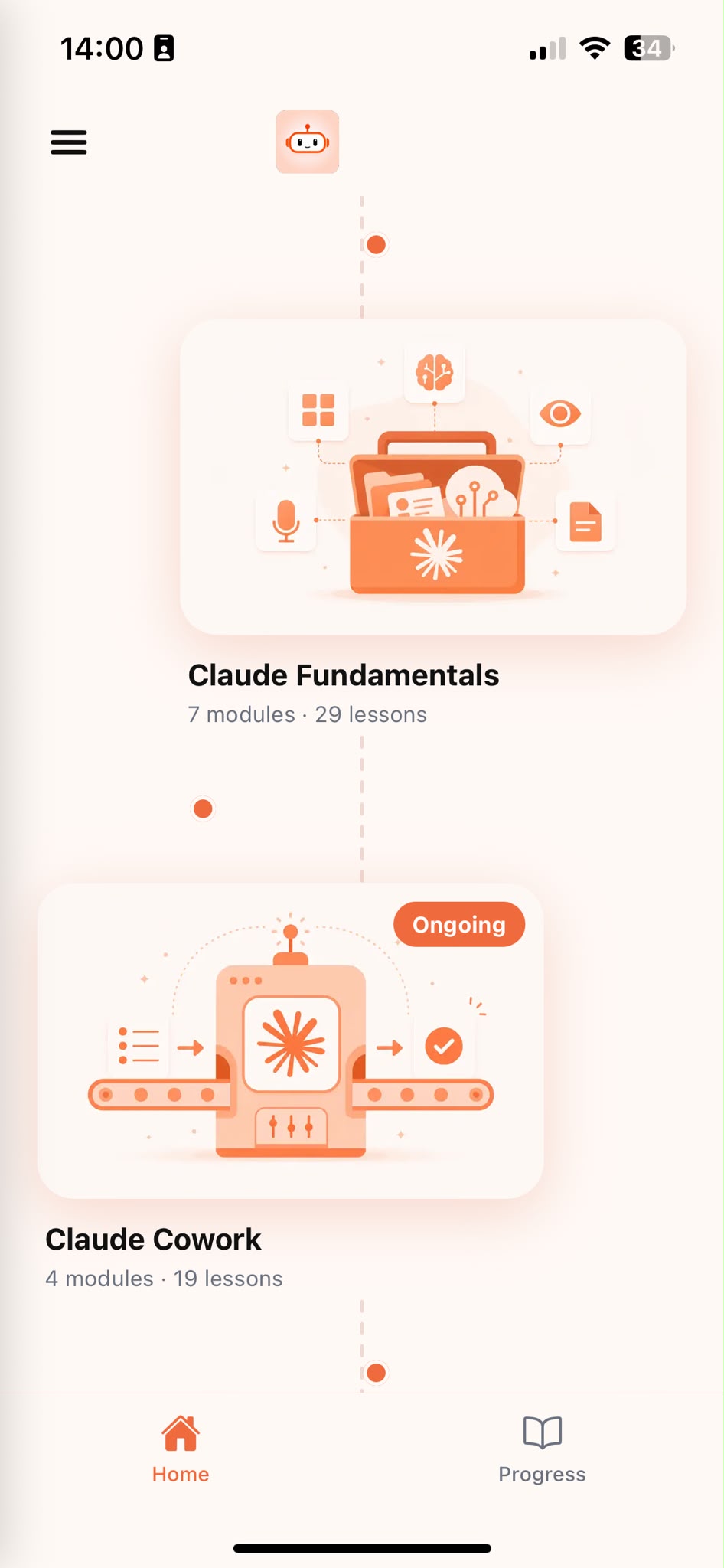
Browse Courses
Choose what to learn from a structured library of Claude lessons.
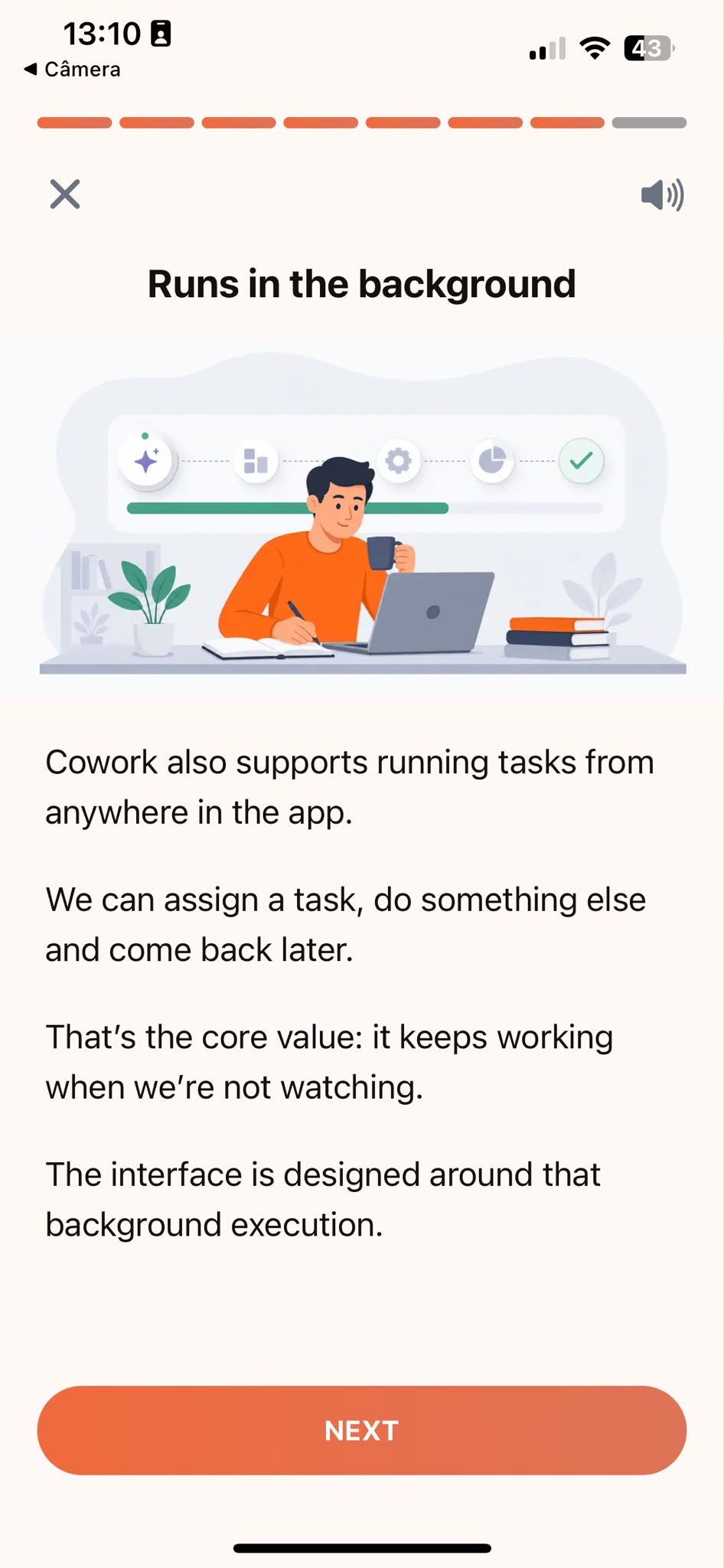
Learn
Short, focused lessons that build from fundamentals to real-world tasks.
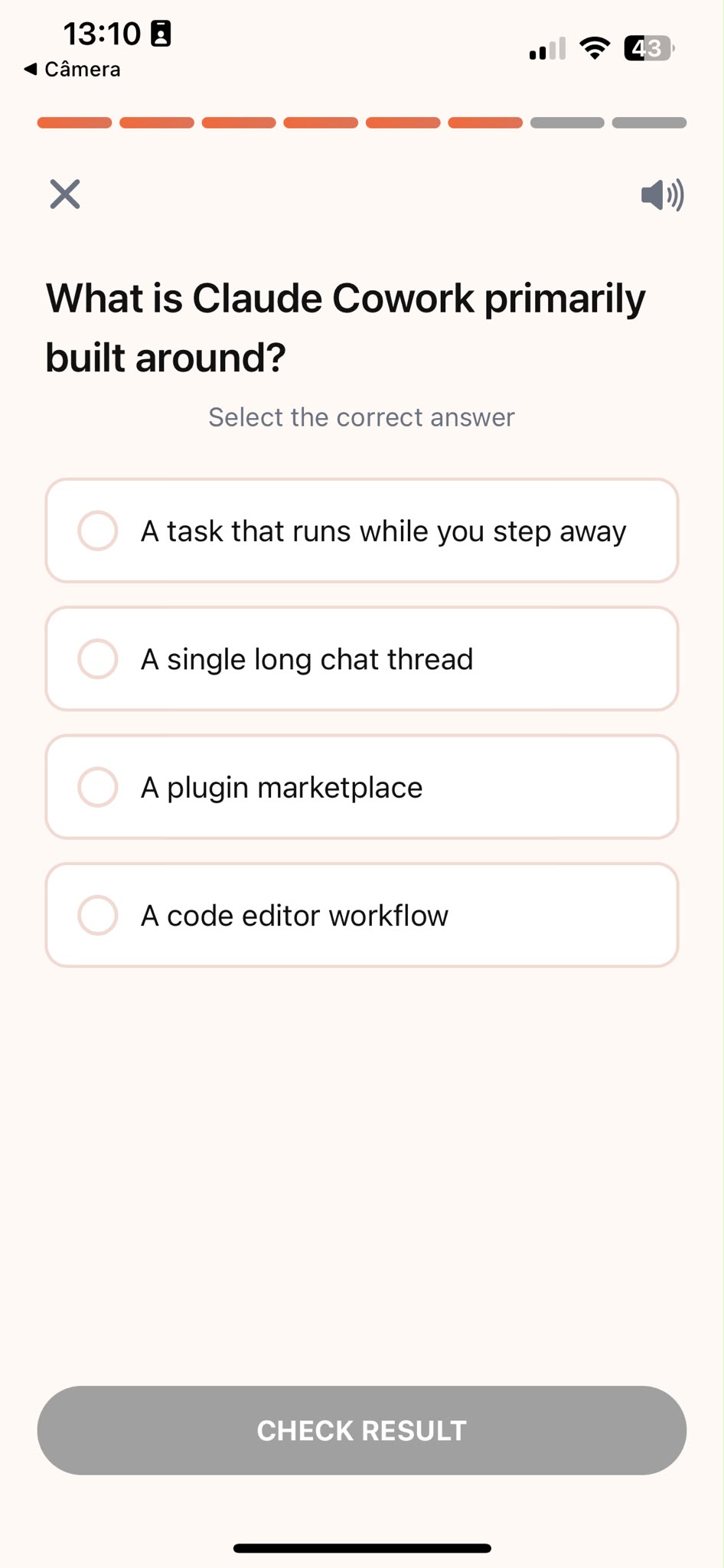
Quiz
Test your understanding right after each lesson, not at the end.
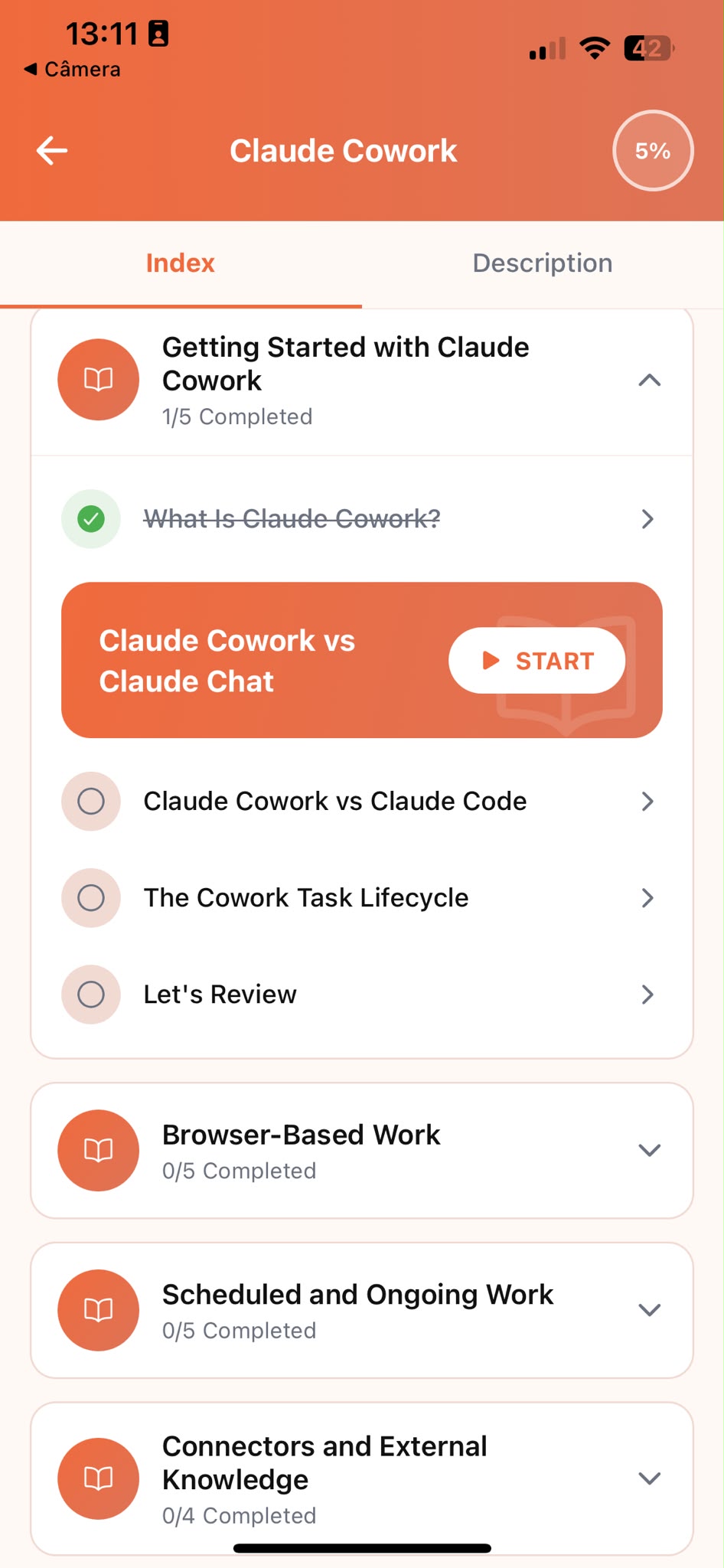
Track Progress
Pick up exactly where you left off, on any device, at any time.
Related articles
- Lawyers5 min read
How to Draft Client Letters With Claude
A checklist for drafting client correspondence with Claude that stays clear, appropriately toned, and unmistakably from your firm, not a generic template.
Read article - Lawyers6 min read
How to Spot Risky Contract Clauses With Claude
A repeatable process for using Claude to flag one-sided clauses, missing protections, and risky language before you sign off on any contract.
Read article - Lawyers5 min read
Summarize Deposition Notes with Claude, by Issue
How to combine multiple witnesses' accounts into one organized summary that surfaces contradictions instead of hiding them.
Read article - Lawyers5 min read
Write a Legal Memo That Survives Partner Review
Use Claude to draft a legal memo that states its weakest point honestly, so it holds up on a partner's first read instead of unraveling under questions.
Read article
Frequently Asked Questions
Do I need AI experience to start?
No. Claude Tutorial is designed for people who have never used Claude before. The course starts from the fundamentals and builds up to real legal tasks. If you already use Claude occasionally, the structured approach will still fill gaps and build more reliable habits.
How long does the course take to complete?
Most learners work through the core curriculum in two to four hours. The app is designed for short, focused sessions. A single lesson takes around ten minutes, so you can fit it into a working day without blocking off a half-day.
Will I learn to use Claude specifically for legal work?
Claude Tutorial teaches Claude fundamentals through examples lawyers recognize: contract review, client correspondence, case research summaries, and memo drafting. You are learning Claude, not a generic AI tool, and every example is grounded in real legal work.
Can I use Claude's free plan while taking the course?
Yes. Everything taught in the course works with Claude's free plan. A paid plan gives you more usage, but it is not required to complete the lessons or apply what you learn.
What if the document I'm working with contains privileged or client-confidential details?
Redact or generalize identifying details before pasting anything in, the same way you would with any outside tool. Replace names with roles like 'the client' or 'the counterparty', remove case numbers, and keep dates approximate if they aren't essential to the question. Claude can still give you full-quality help on structure, tone, and analysis without ever seeing the specifics that make a document privileged. The course shows you how to set this up as a habit, not a one-time workaround.
Start learning Claude
Download Claude Tutorial and start applying these techniques to your own contracts and case files.